Installing Windows 11 for personal use
This is a short scrappy guide on how to install Windows 11 Pro for personal use.
- Download the Windows 11 ISO (I use English US)
- Run it through WinUtils
Win11 Creator - Download drivers for your hardware and put them on a USB stick (Motherboard and GPU for instance)
- Flash the ISO from the Win11 Creator unto a USB stick
- Boot from the Win11 Creator ISO USB stick
- Run through the installation process
- I personally use English US language and Dutch currency and format
- Delete all the partitions for the drive you wish to use
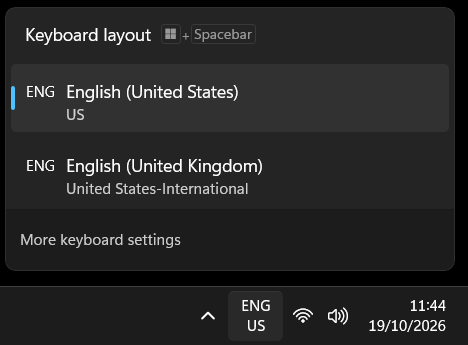
- Selecting US english keyboard with my locale setup will also give you an ENG International keyboard setup
- After you PC is "Almost done" and you didn't need to type in your password to get to Windows, wait for some scripts to execute which reboot your PC in the process
- Login and Install the drivers for your hardware
- Reboot your PC
- Connect to WIFI
- Open task manager and let Windows do a bunch of updating in the background for like 10 minutes or more
- Reboot your PC
- If you don't have a Windows Pro license already use Microsoft Activation Scripts (MAS)
- Run WinUtil to install software, apply tweaks and setup updates.
- I personally just go to the website of the software I want to install or use winget manually
- When installing Chromium do so via winget manually
mini_installerwill be added to powershells path, restart powershell and typemini_installerthis will install Chromium
- Your done any changes you make now I view as preference like removing OneDrive and Edge.